
To access the UN Comtrade API, you need to create an account on the UN Comtrade Developer Portal, obtain an API subscription key, and then use that key to make API requests to retrieve trade data.
To obtain a subscription key, please see the steps below:
- You must be a registered UN Comtrade user before requesting an API subscription key. Please follow the steps outlined in How to create a UN Comtrade account.
- Visit the UN Comtrade Developer Portal at https://comtradedeveloper.un.org. Use your UN Comtrade account (registered email address in UN Comtrade) to sign in.
Your subscription tier determines API key issuance.
- For premium subscribers, including individual, institutional, and trial tiers, logging in to the UN Comtrade Developer Portal will automatically initiate a request for your API subscription key. Please allow time for the key to be generated. You will receive an email notification once your key has been issued. If you do not receive a notification within one hour, contact comtrade@un.org for assistance.
- Non-premium and free users may subscribe to the Free APIs product.
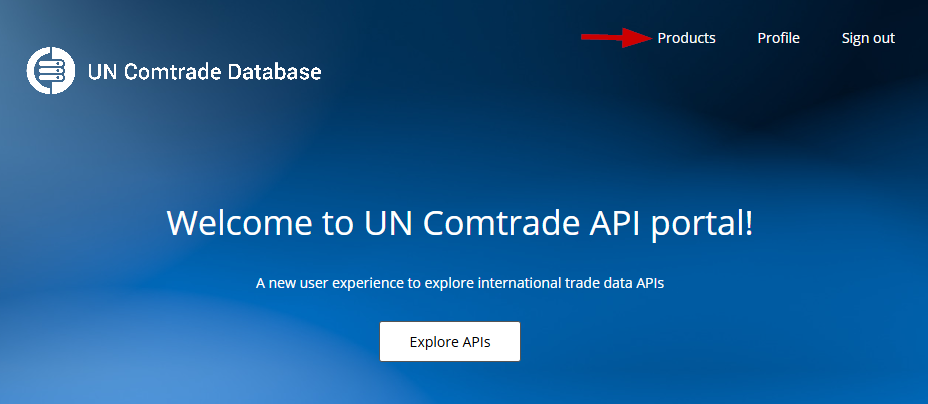
1. Click on the Products link on the top right of the page.
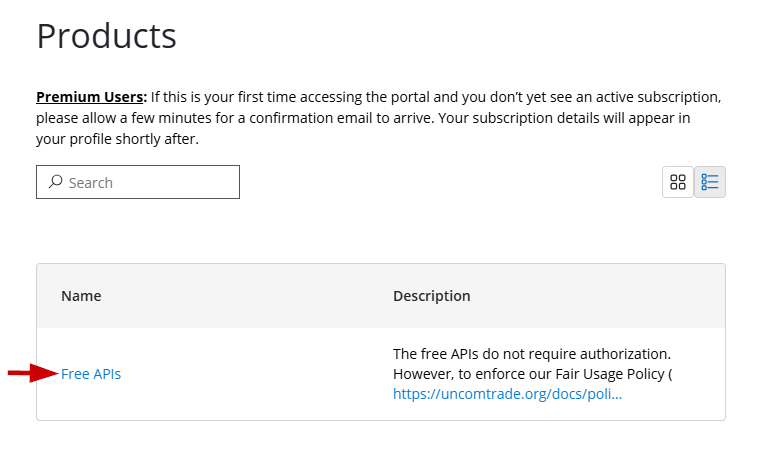
2. Click on Free APIs.
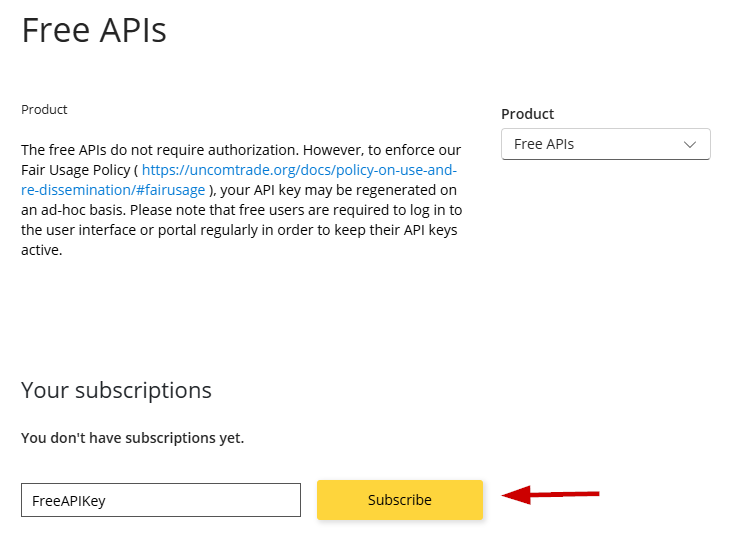
3. Provide a name for your subscription and click on Subscribe. The API key will be generated.
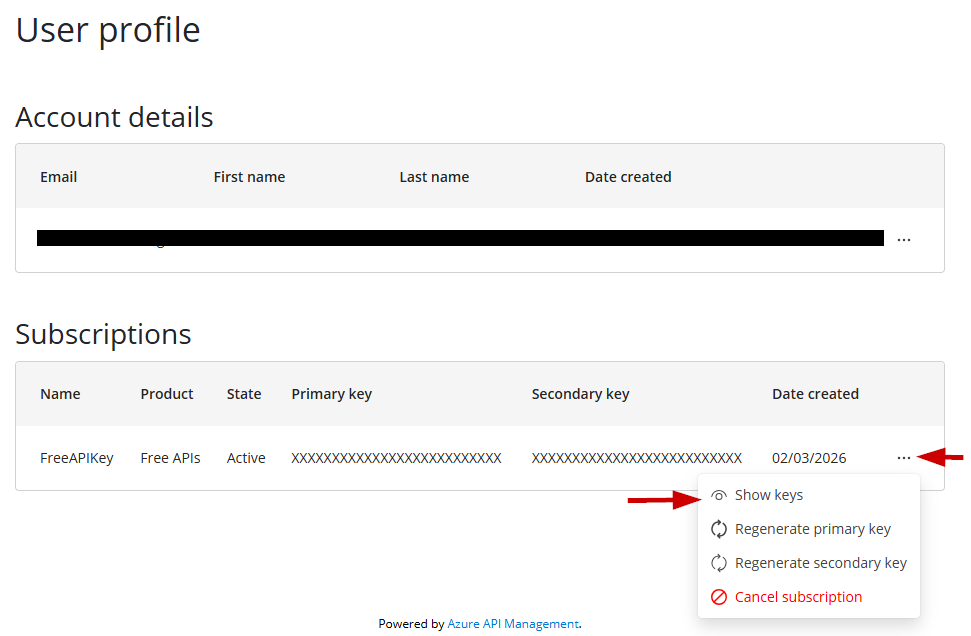
4. Subscription keys issued to users will be available in the user profile at https://comtradedeveloper.un.org/profile. Upon availability, the state would show “Active”. Click the “Show keys” link to view your subscription key.
- Please review the API documentation for information on how to construct your API requests and explore the available data fields.
- Begin using your API key to place requests and access the data you require.
- You are invited to explore Developer tools for UN Comtrade provided “as-is” by the community:
- UN Comtrade API Python Package For API examples at Github ComtradeAPICall.
- ComtradeR


